

The Best 4K Projectors Under $2,000
Under $2,000, a 4K projector still has to fit the room. The XGIMI HORIZON 20 is a flexible movie choice; a gaming room or short mounting distance changes the comparison.
We may earn a commission from links in this guide. As an Amazon Associate I earn from qualifying purchases.
Two thousand dollars buys a serious 4K projector, but it does not buy a suitable screen, sound system and an impossible mounting position. The XGIMI HORIZON 20 is a flexible place to start. A gamer may prefer the ViewSonic LX700-4K, while a room that needs the projector moved often points elsewhere. We would decide where the lens can live before comparing the picture.
For movies and streaming in a flexible room, the XGIMI HORIZON 20 is our pick. We would favor the ViewSonic LX700-4K when games play a larger role. The JMGO N1S 4K Upgrade is a smaller option that leaves more money for the rest of the setup. Check the current price and image geometry before treating any of them as a complete system.
Everything we recommend
Our picks

Our pick for built-in streaming
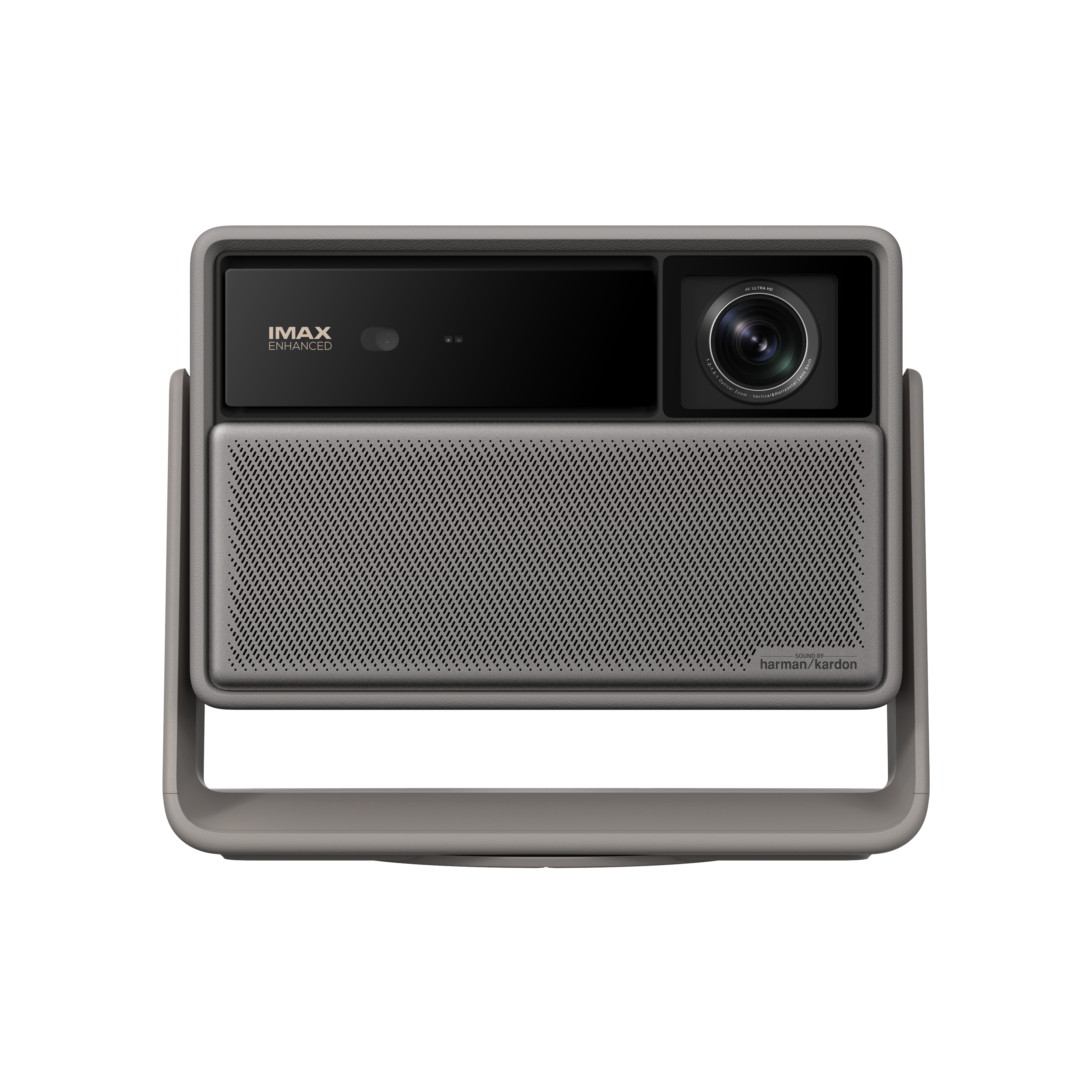
XGIMI HORIZON 20
A projector that stays in a shared room needs to work on an ordinary evening, not only after rearranging furniture. The HORIZON 20's built-in platform can make starting a film simpler, but a stable lens position and a suitable screen remain the foundation. Decide where the speakers and power cable will live when the projector is off. Placement tools are helpful for small compromises; use the throw chart to avoid relying on heavy digital correction for every viewing.

For movie nights and games
ViewSonic LX700-4K
The LX700-4K fits a room where the same screen serves a movie and a console. Those activities may use different input settings, so check both against your device and consider how often someone will switch modes. A ceiling mount or rear shelf can keep the floor clear, but the cable route to a game console can become the difficult part. Plan it on paper before buying. If the screen will be watched mostly in daylight, room lighting can outweigh the advertised resolution.

For a smaller dark room
JMGO N1S 4K Upgrade
The N1S's compact, aimable form can be more pleasant in a small dark room than a large ceiling fixture. Give it a repeatable shelf or table position so each film starts without a full alignment exercise. It still needs a throw distance and a clear beam, and a compact audio system may be the next sensible upgrade. If the room is used during bright afternoons, choose based on your curtains and screen rather than the ease of carrying the projector.
The research

Spend the ceiling on the room, not the badge
A projector under $2,000 is still part of a larger purchase. A screen, mount, cable run or speaker solution can consume a meaningful share of the budget. If the room is light and you watch in the afternoon, choose the screen and light control first. If the room is dark and fixed, contrast and lens placement become more useful priorities. The same dollar ceiling should not lead every buyer to the same model.
The XGIMI HORIZON 20 offers a flexible starting point. The ViewSonic LX700-4K changes the emphasis toward gaming. The JMGO N1S 4K Upgrade is easier to move. Consider which kind of evening you want most often and use the others as a check on what you are giving up.
Measure before comparing another model
Take the intended screen width and find the projector-to-screen distance you can actually provide. Then check the maker’s throw calculation and whether the lens can sit at the height and angle the room allows. Digital correction can rescue a temporary setup, but relying on it for a permanent installation is a sign that a different placement or lens might make more sense.
Plan how sources and sound reach the projector. A streaming stick at the back of the room, a game console near the screen and a receiver in a cabinet produce different cable problems. Once the placement and connections are realistic, compare the remaining models on their picture and daily controls. That order prevents a bargain from becoming an awkward installation.
How to choose the best 4K projector under 2000
Decide whether the $2,000 cap covers only the projector or everything needed to watch. A ceiling mount, long certified signal cable, screen, streaming device and audio equipment can change the total substantially. Ultra-short-throw models may need a suitable screen and a precisely sized front console. Put those items on a room-specific list and reserve the budget before comparing projector prices. A discounted body with no workable screen is not a bargain.
Read the image and input specifications
“Accepts 4K” can describe an input signal rather than the image the projector displays. Read the maker’s displayed-resolution specification for the exact model and variation, such as the HORIZON 20 display and input specifications. Then check the signal modes for your sources: a projector may offer 4K movie playback and a faster gaming mode at a lower resolution. A 4K label also cannot rescue a washed-out picture in a bright room. Match screen size and light control to the content you actually watch.

For a shelf setup
Valerion StreamMaster Plus2
A home-theater shelf option to compare when you can darken the room and place the lens at the right distance. Faster gaming modes may use a lower resolution than the movie mode, so decide which source matters more. Confirm the current price and exact Plus2 variant, since discounts can move it in or out of this budget. Leave room for ventilation, source connections and a screen whose width is realistic from the available shelf position.
Choose a lens position before a model
Measure the usable screen width and the distance from that surface to every realistic lens location. Enter those dimensions in each maker’s throw calculator before you compare features. A portable-style model may sit on furniture, a conventional projector may belong on a mount and a UST unit needs a front console. If your room has only one viable position, throw geometry and vertical offset are worth more than a long feature list. Digital alignment cannot make an incompatible lens fill the screen cleanly.
Use the ceiling as a filter, not a promise
An under-$2,000 guide needs a price and stock check on the day you buy. The XGIMI HORIZON 20, ViewSonic LX700-4K and JMGO N1S 4K Upgrade serve different room and source needs. Valerion StreamMaster Plus2 and Optoma UHZ36 can move across the budget line with promotions. Hisense PT1 belongs here only when a current offer puts the projector itself under the cap and it is actually available. Its near-wall setup still needs the right console and often a screen. Do not plan permanent furniture around a temporary sale.
Keep the projector price separate from the complete system. A ceiling mount, long cable, screen, streaming device or audio setup can push the project beyond your cap. If your $2,000 limit is for everything, reserve part of it for the pieces your room lacks.

For using a separate streaming box
Optoma UHZ36
A laser projector that makes sense if you already have a streaming box, receiver or other sources and do not need an all-in-one interface. Check the exact throw range, mounting position and audio path against the room rather than comparing only the light source. A separate source can be an advantage if you want to upgrade apps independently. Include the mount, screen and cabling in the under-$2,000 calculation, and verify the current listing price before ordering.
Choose the format your room supports
The XGIMI and JMGO models emphasize quick setup, while the ViewSonic and Optoma choices deserve a closer look if you have a fixed lens position and a source you already use. The Valerion is another home theater option to compare on throw and inputs. The Hisense PT1 sits close to the wall and projects upward, so it cannot simply replace a rear-throw model on the same shelf. Use the manufacturer’s throw calculator for the exact picture width.
A 4K input is not the same specification as the displayed pixel arrangement. Read the product’s display-resolution description and accepted signal modes. For gaming, compare the mode you actually intend to send. For movies, control room light and plan a flat screen before chasing a maximum advertised diagonal.

For a front-console setup if priced within budget
Hisense PT1
A sale-dependent ultra-short-throw alternative for a room where the projector must live on a front console. It has Google TV built in, but a UST installation is sensitive to cabinet height, distance from the wall and screen flatness. A screen suitable for this geometry may put the complete system well beyond $2,000 even if the projector alone is discounted to the threshold. Check availability and the current price before treating it as an under-$2,000 option; do not plan the room around a temporary offer.
The under-$2,000 screen budget
Spending the entire ceiling on a projector can leave the picture on a textured wall with poor light control. Write a full-room budget for a screen, mount or shelf, cable, streaming source and audio. If the room is shallow, a short-throw or UST model may fit where a standard projector cannot; the screen and furniture cost can change sharply with that decision. If a 100-inch image is the goal, calculate its width and use each maker’s throw range before narrowing by price.
Compare the exact model’s 4K display method, light source, optical adjustments and input modes rather than treating every 4K badge as equivalent. For a dark room, contrast and a clean installation may be worth more than a headline brightness figure. For sports with lights on, control ambient light and consider a smaller picture. A model near the price ceiling is only a good deal if its lens lands in the right place and the remaining budget completes the system.
How we compared them
We treated price as a moving filter and compared placement styles, published resolution information and complete setup costs. Check the merchant’s current price and stock, the maker’s throw calculator and the exact model specification before buying, especially for any option near the budget boundary.
Common questions
Is a UST projector cheaper because the unit is on sale? Not necessarily. Add screen and furniture costs.
Should I spend all $2,000 on the projector? Only if you already have a compatible screen, mount, signal and sound plan.
Do discounts change this list? Yes. Recheck pricing and availability on the actual listing.